微信支付如何设置商户支付密钥(API密钥)
作者 king51 2015-06-26
新版的微信支付改动比较大,新增了一个API密钥,好多用户都不知道什么用,也不知道如何设置,现在我来和大家说一下具体的操作步骤:
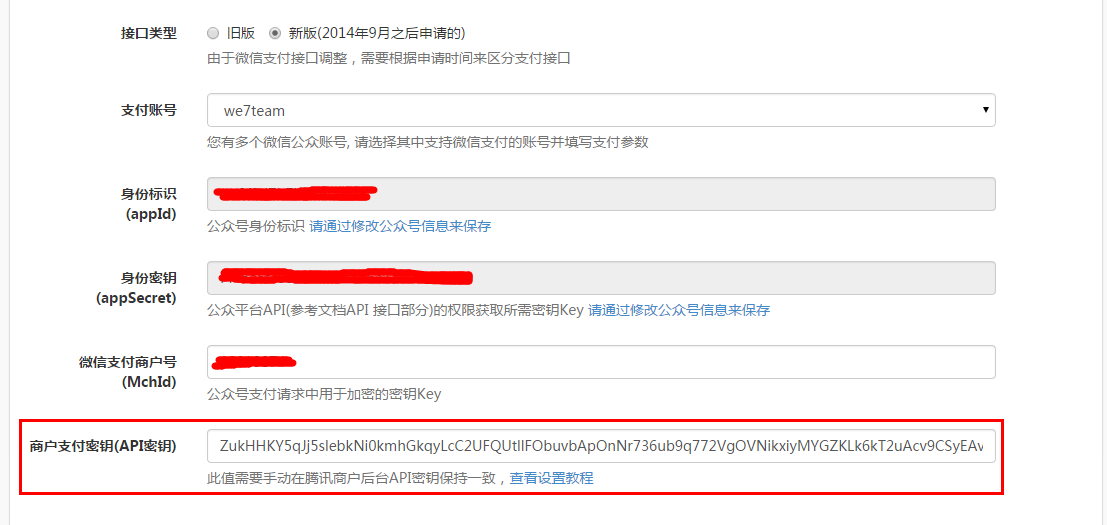
1,首先你在后台 -> 功能选项 -> 支付参数 -> 设置微信支付 -> 选择新版接口类型
会看到新增一项商户支付密钥(API密钥),复制里面参数
2,登录商户平台(http://pay.weixin.qq.com)

3,登录后,找到账户设置 -> 密码安全 -> API安全 -> API密钥
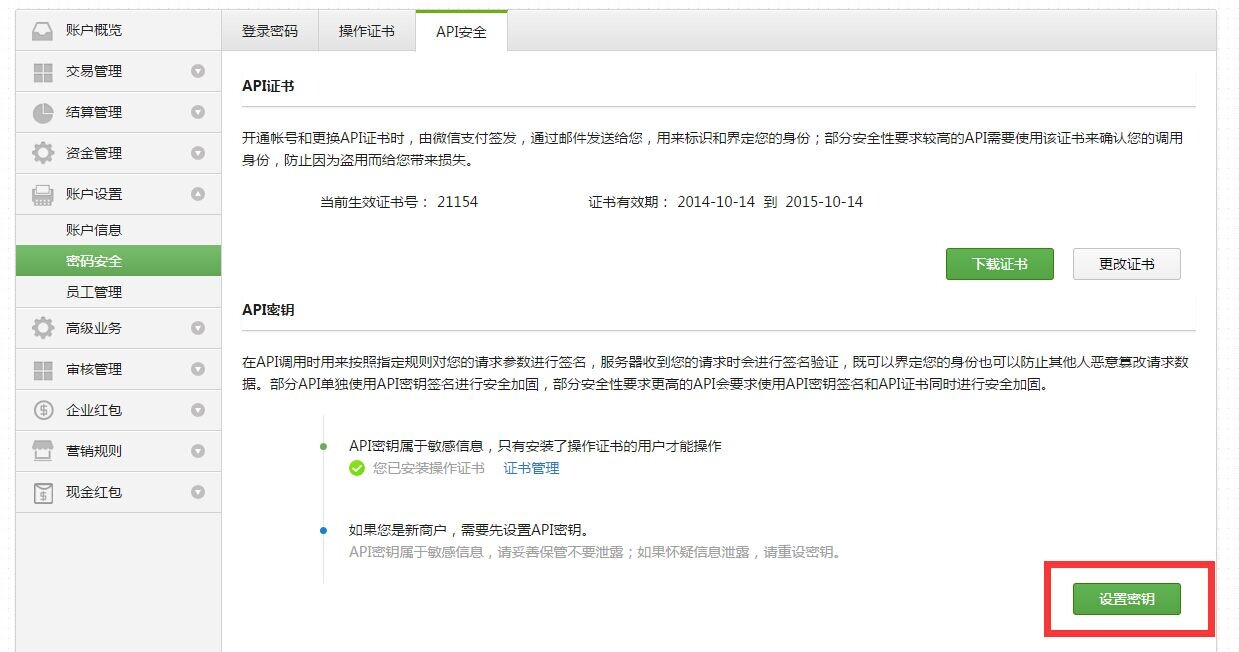
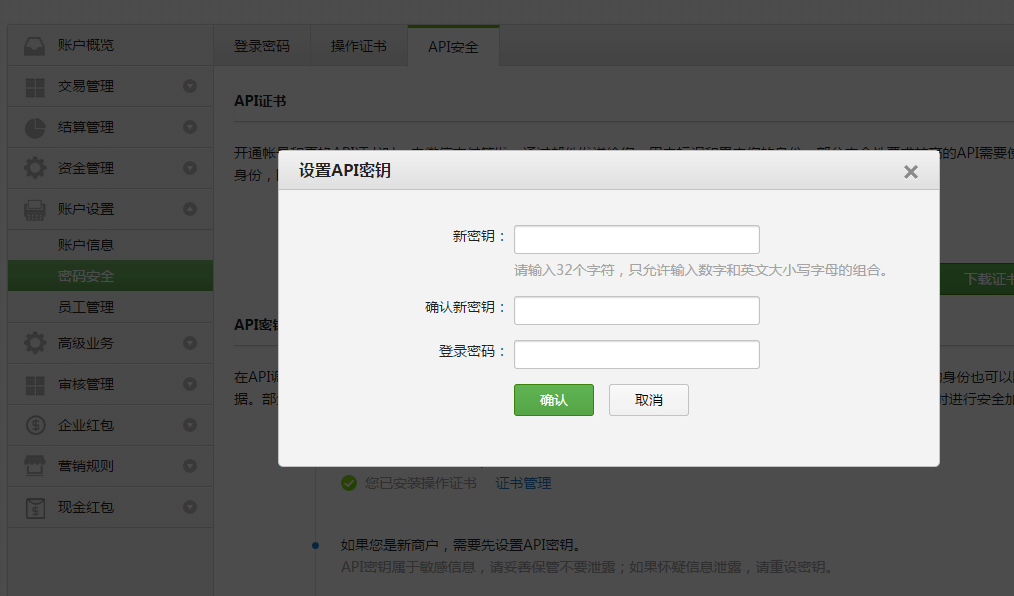
4,设置API密钥,把在后台复制的参数填写进去即可
Need help?
Not sure exactly what we’re looking for or just want clarification? We’d be happy to chat with you and clear things up for you. Anytime!
Call anytime
Email us
Don't see a job for you?
Do you feel like you belong working with Good Themes, but we just don’t have your dream job posted? No problem, just reach out.
Let us know